Running phpBB on Kubernetes: Containerising a Legacy PHP Forum (Part 1)
What makes phpBB awkward to containerise, and what it takes to build it: the immutable image, the two daemons, the path prefix, the configuration, the storage, and the scheduled tasks.

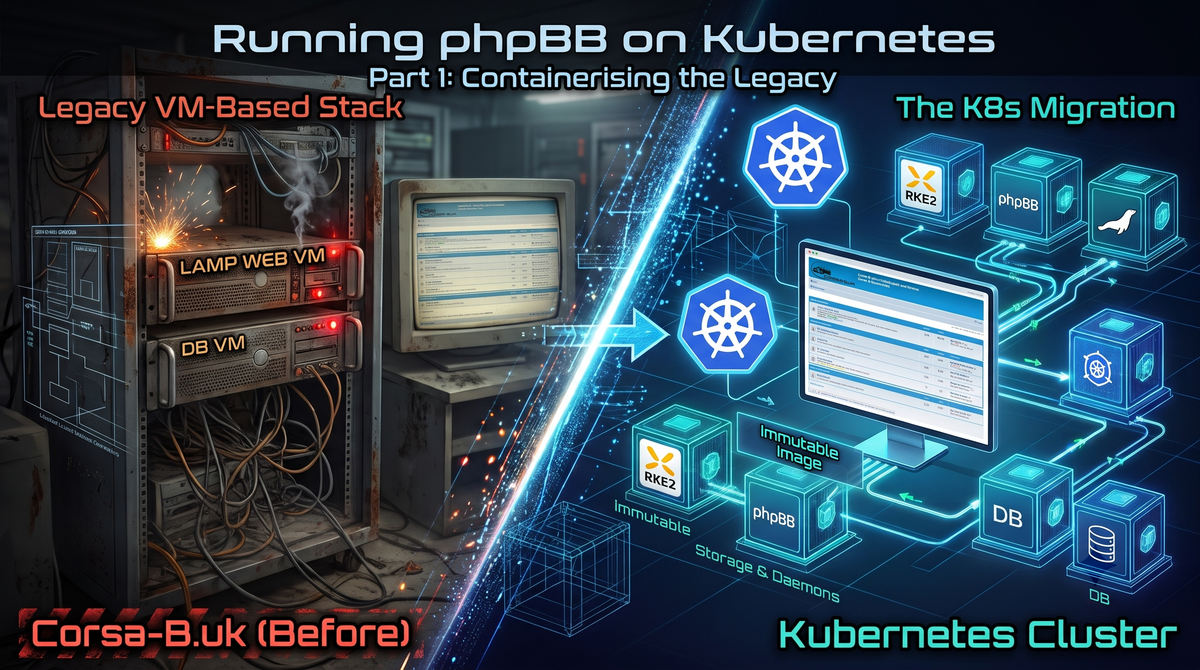
The Corsa B UK Owners' Club forum has been running since November 2004. It has moved between different hosting solutions since then, and each move was a response to something that had either stopped being manageable, or we had simply outgrown what that current hosting solution was capable of.
It started life on a shared hosting platform, which is where most forums back then would have started life. This was fine to begin with, but as the site grew, performance became a serious issue. We pulled the plug around 2007, and moved over to a bare-metal server running a multi-site LAMP stack. This gave us a much needed boost in performance and capacity, and allowed us to continue to grow. Over the years, this worked perfectly (other than a few hiccups along the way with various OS and package updates), but as with anything technical, one machine running multiple sites became a worrying single point of failure for all of them. So in 2014, again we re-platformed our base infrastructure and split into a small cluster of virtual machines: separate machines for web and database, the web tier again serving multiple sites over SNI (and allowing us to horizontally scale for the first time), and one database machine shared between them.
Then in June 2026, everything that could go wrong, did. I won't bore you with the specifics here, but to put it simply, the hardware we were running the forum on failed. I have covered that in another post: The New Stack: RKE2, Ghost, and Finding Balance
Now a big part of this recovery was also trying to rescue the data (or at least as much as I could). When it came to recovering Corsa-B.uk, the database backup that came with it turned out to be damaged, and the forum went from being an operational problem to a nightmare of a recovery problem.
So the rebuild was two jobs, and this post is about the second one. The first was getting the data back — that is a story in its own right, and I have covered the parts of it that changed the build. The second was taking what little we did manage to recover — a 2016 phpBB 3.1.9 board — upgrading it to phpBB 3.3.19 on the latest PHP release (thanks to the recent PHP2SHELL CVEs), and running it entirely from an immutable container image.
That second job turned out to be far more interesting than I expected, and most of that is down to phpBB not being a typical web application. It modifies its own installation, it builds its own links from the request, it triggers its own scheduled tasks from when a user visits the site. Each of those is a small thing. Together they are the reason that "containerise the app" turns into a negotiation.
The goal, then, is specific: one immutable image, deployed as a Deployment, that serves the forum at /forum/ on a shared host, with its scheduled tasks run by a CronJob, and with a request that costs a predictable amount of CPU.
This post is also written to be used rather than just read. There is a requirements list and a Dockerfile you can lift here. The local stack, the verification suite, the deployment for the cluster and the migration sequence are in part two, and if you found yourself here trying to find out how to move a board of your own, then the migration sequence there will give you a good enough head start.
Every file I quote is in the repository behind this post. It is an example of the skeleton rather than the production code, and it is not maintained. It is public, so you can read it, and every file is in the post in full too, rather than as an excerpt.
A note on sources: where I reference internal code or configuration, I include the relevant snippets inline. Every external claim is backed by a link to the official documentation in the references section at the end.
The shape of the problem
Before the solutions, I want to be precise about what makes phpBB awkward to containerise, because every section below is a consequence of one of three behaviours.
phpBB comes in two kinds of customisation, and they are not the same thing. An extension is a plugin loaded from a directory under ext/. It registers itself as a Symfony service, listens for events, and ships its own migrations for the tables it needs. The one on this board has a config/services.yml, a migrations/ directory and an administration panel of its own, and it does not touch a line of the core code. A MOD is the older arrangement, from phpBB 3.0, and it is a set of edits to the installation itself, with the files rewritten in place. The logo patch and the emote pack on this board are the second kind, and they are what rewrite template files in the tree. The two arrangements are not the same thing, but both end up changing files underneath the application, and a container image is by definition immutable. So the first question is where that change happens.
phpBB builds its own links from the request. It reads SCRIPT_NAME and constructs every URL it renders from it. That means the URL space of the application is not something the platform can impose from outside — it has to be negotiated, and the negotiation is silent when it goes wrong.
phpBB runs its own scheduled tasks from the visitor's browser. Unless it is told otherwise, a task that is ready to run is triggered by a hidden image tag in a page. This is a clever solution for a forum on shared hosting with no access to cron.
None of these is exotic, and none of them is a bug. They are just the ways phpBB works, and they are why the answer is not "put it in a container and set an environment variable".
What you need to start
The requirements are not demanding, which is a bit of a surprise given how much of this post is about phpBB being awkward. The installer checks one thing, which is the PHP version, and everything else is a database and a directory. A forum is not a distributed system, and the work per request is small enough that it runs in a single container with a modest pool of workers.
So, in no particular order, here is what you need on the table.
A database. MariaDB or MySQL, running utf8mb4 so that the board handles emoji and international text properly. PostgreSQL works for phpBB 3.3, but I have not tested it and I would not claim it does. The database has to be reachable from the container, and that is the only real constraint.
PHP 8.5, and a handful of extensions. The ones phpBB actually needs are gd for image processing, mysqli to talk to the database, zip for extension packages, intl and mbstring for string handling, and redis if you want to use it for caching. The official Docker image has most of them, which is why the image in this post is a thin layer on top of php:8.5-fpm-alpine rather than something built from scratch.
nginx. Not strictly required — Apache works and phpBB does not care — but the path-prefix handling further down is written against nginx, and nginx is the smaller half of the container.
Somewhere to put three directories. The attachments, the avatars and the store directory need to survive the pod, and each of them gets a persistent volume. The extensions are a different case, because they are baked into the image at build time rather than mounted. A fourth directory, the cache, deliberately does not survive, and the storage section explains why that distinction matters more than it sounds.
And then there is the one that is not a piece of software, and it is the one that caught me out.
Enough CPU to actually use the thing. Not a CPU — a limit, and a limit that is big enough for the traffic you are expecting. This sounds obvious, and I still got it wrong, because the failure is quiet. Nothing breaks. The forum just serves pages slowly, and the pod sits there being throttled by the scheduler while the application waits.
What the limit should be depends on what a request costs, and the performance measurement is where that gets worked out. The short version is that the limit I started with was half of what it needed to be, and the symptom was a forum that served pages slowly rather than one that broke.
So the thing to work out early is how much CPU a request costs. One of the two numbers in this section is a number you can measure, and it is the one that tells you whether the other one — the limit your platform gives you — is big enough.
Building our Container Image
The image is built in stages, because the installer has to be available for the first install and then unavailable forever after.
Before I show it, a word on where the code is. Everything I am about to quote is in the repository behind this post, and it is an example of the skeleton rather than the production code. It is the simplest version that works, with placeholder assets in place of the real club assets, and the database settings left out, because those are specific to one board. It is not maintained, and the README says so. But every file the post quotes is there in full, including the small ones that are easy to hand-wave — the nginx route that hides the installer, the health check, the entrypoint.
It is eleven files across the root directory and two small subdirectories, and they are worth knowing by name before the post starts quoting them, because several of the problems that follow have their answer in one of them:
Dockerfile— the multi-stage build, the OPcache settings, and the PHP-FPM pool.config.php.template— the database connection, read from the environment at runtime.nginx.conf.template— the path prefix handling, and the rules that keep the sensitive directories out of reach.docker-entrypoint.sh— rendersconfig.phpat container start, and runs the installer when it is asked to.container-init.sh— the container's PID 1, running nginx and PHP-FPM.phpbb-install.sh— the non-interactive install.healthcheck.php— the readiness probe.docker-compose.yaml— the local stack, the environment block, and the volumes.
And two directories, which are mostly about the parts of phpBB that want to write to their own installation: nginx/ holds the two variants of the installer route, and scripts/ holds the shell.
The base stage does the work. It installs the runtime libraries, compiles the PHP extensions from source, creates the runtime user, writes the OPcache and PHP-FPM configuration, and downloads phpBB with its SHA256 verified. The whole file is in the repository if you would rather read it than the excerpts:
FROM php:8.5.12-fpm-alpine AS base

# Pinned phpBB release. Update both values together and re-verify the
# SHA256 against https://download.phpbb.com/pub/release/3.3/<version>/
ENV PHPBB_VERSION=3.3.19
ENV PHPBB_SHA256=66f35fa3d9bf3b90269205bbb281e1156727a0014eea344fe15f9c7376b78c66
The download is verified, and the version and its checksum are pinned as environment variables so that a release bump is a two-line change with an obvious review:
RUN curl -fSL "https://download.phpbb.com/pub/release/3.3/${PHPBB_VERSION}/phpBB-${PHPBB_VERSION}.tar.bz2" -o phpbb.tar.bz2 \
    && echo "${PHPBB_SHA256}  phpbb.tar.bz2" | sha256sum -c - \
    && tar -xjf phpbb.tar.bz2 --strip-components=1 \
    && rm phpbb.tar.bz2
Then the two runtime stages, which are the whole trick. They are the last twenty lines of the Dockerfile:
# ==========================================
# Stage 2: the installer.
# ==========================================
FROM base AS installer
# The installer needs to be reachable at /install/.
COPY nginx/phpbb-install-location-installer.conf /etc/nginx/phpbb-install-location.conf
USER phpbb
EXPOSE 8080
ENTRYPOINT ["/usr/local/bin/docker-entrypoint.sh"]
CMD ["/usr/local/bin/container-init.sh"]

# ==========================================
# Stage 3: the production runtime. The default.
# ==========================================
FROM base AS production
# Remove /install directory so phpBB serves the forum for normal traffic
RUN rm -rf /var/www/html/install
USER phpbb
EXPOSE 8080
ENTRYPOINT ["/usr/local/bin/docker-entrypoint.sh"]
CMD ["/usr/local/bin/container-init.sh"]
One image, two targets, built from the same base. The installer target keeps install/ and can install a board from nothing. The production target deletes it, so a running forum cannot be reinstalled by anyone who gets as far as the web interface. That is a security property, not a tidiness one, and it is why the directory is removed in a build stage rather than blocked in nginx.
The mechanism is not obvious, so here it is. phpBB's installer guard is this, and the entrypoint is what satisfies it:
file_exists($config_path) && !file_exists($install_lock_path) && filesize($config_path)So a non-emptyconfig.php blocks the installer, and an empty one with the lock file present lets it run. The entrypoint empties the file, creates the lock, runs the installer, and then re-renders the environment-driven config.php afterwards, because the installer writes its own with the credentials baked in. Getting that wrong in either direction produces a confusing failure: a forum that will not install, or a forum that installs itself every time it starts.
Two things are deliberately not in the image, and both of them matter.
config.php is not baked in. It is generated at container start from environment variables, so the same image serves the forum from the root of a host during local development and from a path prefix in the cluster with no rebuild and no second artefact. The template is already valid PHP, so the entrypoint substitutes one marker into it rather than building it from scratch:
sed "s|@@PHPBB_INSTALLED_BLOCK@@|${installed_block}|" \
    "${CONFIG_TEMPLATE}" > "${CONFIG_FILE}"
Substituting a marker rather than templating the whole file keeps the database password out of the image and out of the process arguments. One detail in the template is worth copying rather than inventing. The database driver is written as the fully-qualified class name, phpbb\db\driver\mysqli, because that is what the 3.3 installer writes. The short form, mysqli, also works: phpBB converts it on the way up, and I confirmed that by running the CLI against a config.php with the short value in it. The fully-qualified form is still the one to use, because it is the one the installer produces and the one the conversion produces, and a value that phpBB has to fix up is a value that a future version might stop fixing up.
The nginx configuration is a template too. It is rendered at start time, because the forum can be served from the root or from a prefix and that is only known at run time. The rendered file goes in /tmp, because the container runs as a non-root user and cannot write to /etc/nginx. The includes in it have to be absolute, because nginx resolves a relative include against the directory of the config file rather than the working directory, and the PID file has to be somewhere the non-root user can write to.
That last point is worth a sentence of its own, because it is the kind of thing that works on your machine and fails in a container. nginx writes a PID file, by default to /run/nginx/nginx.pid, and a non-root container cannot write there. The configuration passes its own syntax check and then fails on the PID file, and the failure looks like a permissions problem rather than a configuration one.
The rest of the build copies in the club assets and the extensions, and that is where the build-time-mutation rule from earlier is enforced:
COPY assets/smilies/ /var/www/html/images/smilies/
COPY assets/style/ /usr/local/share/phpbb-assets/style/
COPY scripts/apply-club-logo.sh /usr/local/bin/apply-club-logo.sh

RUN chmod 755 /usr/local/bin/apply-club-logo.sh \
    && sh /usr/local/bin/apply-club-logo.sh /var/www/html /usr/local/share/phpbb-assets/style/site_logo.png
Extensions are then copied in, because phpBB has no extension upload form in the administration panel. An extension is a directory of files under ext/<vendor>/<name>/, and the board finds it by scanning that directory. The files are committed to the repository rather than downloaded during the build, so the build does not depend on a download that can fail or change underneath it:
COPY extensions/ /var/www/html/ext/
RUN chown -R phpbb:phpbb /var/www/html/ext/ \
    && find /var/www/html/ext/ -type d -exec chmod 755 {} + \
    && find /var/www/html/ext/ -type f -exec chmod 644 {} +
Note what is not in the image: the database. The board is installed or restored against a database, and the image does not care which. The same image serves a board you installed five minutes ago, and ultimately a board we recovered from a broken backup from 2016.
The version problem
The forum backup we managed to recover was running phpBB 3.1.9, a 2016 release, and the target is 3.3.19 on PHP 8.5. That upgrade is the first thing to sort out, because the two ends of it are handled by completely different mechanisms and the version in the middle turns out to be the whole problem.
phpBB 3.1 has no console updater for the schema migration. The 3.1.9 tarball does have a bin/phpbbcli.php, but it has no command that runs the updater. The schema migration is the web script install/database_update.php, which runs the update in stages and stops when it runs out of time. Driving it to completion means running it in a loop until it reports that it is done. 3.2 and later add a db:migrate command to the console, and that performs the whole update in one pass. The update files themselves are not in the release tarball either — they are published separately and have to be placed in install/update/new/ and install/update/old/ before the updater will find them.
So the sequence is 3.1.9 to 3.1.12, and then 3.1.12 to 3.3.19, because the update files are published per release-pair and there is no 3.1.9-to-3.3.19 package. The middle hop is not just tidiness. The updater runs the migrations from its own code rather than from the update package, and the 3.1.9 code only carries the migrations up to v319rc1, so the v3110, v3111 and v3112 migrations — the ones that move the version on from 3.1.9 — never run. The 3.3.19 step uses the console updater, which runs the migrations from its own code, and that code has all 325 of them. 170 migrations ran through the 3.1 updater, and 330 in total by the end.
The part that is not tedious is this: 3.1.9 cannot run on PHP 8 at all. It ships symfony/yaml v2.3, which uses the $string{1} string-offset syntax that PHP 8 removed. The migration cannot run against a modern PHP image, and the image cannot be built from the 3.1.9 source tree. The two are mutually exclusive, and the obvious answer — build an image from the old source, upgrade it inside, then move it — is blocked at the first step.
What worked was to take the 3.1.9 phpBB code and overlay it onto the 3.3.19 image's vendor/ directory, which carries symfony/yaml v3.4 and parses correctly on PHP 8. Only the phpBB code is replaced; the dependency tree stays as the modern image built it. It is not a particularly elegant answer, but it is the one that lets the migration run on a PHP 8 interpreter while still being a genuine 3.1.9-to-3.3.19 upgrade.
An image that cannot change
Now back to the first of the three behaviours, because it is the one that decides how the image gets built.
Three modifications were in scope here: an extension that adds auto-group rules, with its own tables and its own configuration; a club logo patched into the stock prosilver theme; and a custom emote pack that replaces the stock set.
The emote pack is the one with a data consequence, and it changes what the build has to do. phpBB stores the smilie definitions in the database, and those definitions reference filenames. Replacing the image files without replacing the rows leaves the board rendering a definition that points at a file which is no longer there, or rendering an emoticon that was never defined. The images and the rows have to change together, which means the images are an input to the build, not a copy step after it.
That is what settles the general approach: every mutation happens at build time, and the build fails if the expected state is not reached. The logo patch does not apply a diff and hope. It greps the theme for the rules it expects to patch, and errors out if they are not where it expects them:
# Apply the club logo to the prosilver theme.
#
# The patch is applied at build time, and the build FAILS if the
# expected rules are not found. A prosilver upgrade that moves them
# breaks the build rather than silently dropping the logo.

# colours.css: the image.
if grep -q 'background-image: url("./images/site_logo.svg");' "${THEME}/colours.css"; then
    sed -i 's|background-image: url("./images/site_logo.svg");|background-image: url("./images/site_logo.png");|' \
        "${THEME}/colours.css"
    log "colours.css: the logo image is the club PNG"
else
    die "colours.css does not have the expected .site_logo rule"
fi

# common.css: the box size.
if grep -q 'width: 149px;' "${THEME}/common.css" && \
   grep -q 'height: 52px;' "${THEME}/common.css"; then
    sed -i 's|width: 149px;|width: 295px;|' "${THEME}/common.css"
    sed -i 's|height: 52px;|height: 96px;|' "${THEME}/common.css"
    log "common.css: the logo box is 295x96"
else
    die "common.css does not have the expected .site_logo size"
fi
A forum with the wrong logo, or an extension whose files were never installed, is the kind of thing you do not notice for months. Turning those into a failed build is the cheap way to catch them.
The extension is handled the same way, but for a different reason. Its files are committed to the repository rather than downloaded during the build, so the build does not depend on a download that can fail or change underneath it. Its tables and configuration are a separate matter again, and those are restored as data.
Two daemons and one PID 1
nginx and PHP-FPM both need to run in the container, and one of them has to be the entrypoint. The obvious choice is supervisord, and that is what the first attempt used. It was wrong, for a reason that is easy to miss: autorestart: true restarts a failed child process in place, and Kubernetes never learns the container is unhealthy. A container that keeps running with a dead worker hides the failure completely, and the restart loop is invisible from outside the pod.
The replacement is a small shell supervisor. Either process dying brings the container down, so that Kubernetes restarts it and the pod's status reflects reality. It is less capable than supervisord and it is the right amount of capable. The whole thing is about a hundred lines, and the poll loop at the end of it is the interesting part.
Three details in it are easy to get wrong.
The php base image sets STOPSIGNAL to SIGQUIT, which the container does not handle. A pod deletion would therefore fall through to SIGKILL after the grace period, and the container would be killed rather than shut down. The image resets it to SIGTERM, which the supervisor traps.
The supervisor polls rather than using wait -n. The reason is not that wait -n hangs. It does not. The master is a direct child of the shell, so its exit is what wait -n waits for, and the re-parented workers are grandchildren, which it does not wait for. The reason is what happens next: when the master is killed, wait -n returns and the shell has to work out whether the surviving workers matter, and a worker still holding the listening socket is exactly the case where the container has to come down. A poll loop over the recorded PIDs detects the death regardless of how the process tree changed:
while true; do
    sleep "${POLL_INTERVAL}" &
    wait $! 2>/dev/null

    if [ "${SHUTDOWN}" -eq 1 ]; then
        break
    fi

    if ! kill -0 "${FPM_PID}" 2>/dev/null; then
        echo "[container-init] php-fpm exited unexpectedly" >&2
        break
    fi
    ...
done
The third is the UID. Alpine's www-data is 82, and the cluster's default security context expects 1000. The image creates a dedicated user at 1000 and repoints the pool at it, and the stock user = and group = directives are removed from the pool config — PHP-FPM logs a notice when those are set while it is not running as root, and that notice is noise in every container log.
The path prefix is not a reverse proxy
The forum lives at /forum/ on the site's host, and the rest of the host redirects there. This is the one that produces the most confusing failures, because a stripped prefix gives you a page that loads perfectly and contains only broken links.
phpBB reads SCRIPT_NAME and uses it to construct every URL it renders. If the prefix is removed from that value, the board renders links that point one directory too high. The page loads, and every link on it is wrong.
So the prefix has to stay in SCRIPT_NAME, and only the file path is stripped, so that PHP can still find the file on disk. That is the opposite of what a reverse proxy does, and the nginx configuration does both with a named capture:
location ~ ^/forum(?<phpbb_rest>/.*\.php(/.*)?)$ {
    set $phpbb_stripped $phpbb_rest;
    set $phpbb_script $uri;
    fastcgi_split_path_info ^(.+\.php)(/.*)$;
    include /etc/nginx/fastcgi_params;
    fastcgi_param SCRIPT_FILENAME $document_root$phpbb_stripped;
    fastcgi_param SCRIPT_NAME $phpbb_script;
    fastcgi_param PATH_INFO $fastcgi_path_info;
    fastcgi_pass 127.0.0.1:9000;
}
The board also has to agree with itself about the prefix, through three settings in the database — script_path, cookie_path and force_server_vars. The last of these is the one that matters: without it, phpBB uses the values in the request and ignores the database entirely. The prefix has to match in three places — the environment variable, the database settings, and the ingress route — and the mismatch is silent, so I use a script that sets them and reads them back.
There is one more redirect in the chain. The bare prefix, without a trailing slash, falls through to the root handler and is answered with a 404, because the location patterns require the slash. It needs a redirect of its own, and it should be relative so that the browser resolves it against the URL it asked for. nginx writes an absolute Location header by default, and the port in it is the container's port rather than the client's, so the server block sets absolute_redirect off; to make the redirects relative:
location = /forum {
    return 301 /forum/;
}
The site root redirects to the forum with a 301 as well. A 308 was the first instinct, because 308 is the redirect that preserves the method and the body. The chart that renders the ingress does not offer it: it accepts mode: 301 or mode: 302 and fails the render with a validation error for anything else. Traefik itself would do the 308 for a non-GET request, but the option that forces it is not in the Kubernetes CRD, so a 308 was not available there in the first place. A 301 is correct regardless: the root of the site has no state and no form post, so there is no method or body to preserve, and a 301 is cached harder.
Configuration is the environment
Three separate things happen here, and it is worth keeping them apart. The entrypoint substitutes one marker into the template, and that marker is what decides whether the installer will run. The database details are read from the environment at runtime, through getenv(), so the password is never in the image and never in the process arguments. And the path prefix is not in config.php at all — it is in the nginx template and in three settings in the database, and it has a section of its own.
$dbhost = getenv('PHPBB_DB_HOST') ?: '127.0.0.1';
$dbport = getenv('PHPBB_DB_PORT') ?: '3306';
$dbname = getenv('PHPBB_DB_NAME') ?: 'phpbb';
$dbuser = getenv('PHPBB_DB_USER') ?: 'phpbb';
$dbpasswd = getenv('PHPBB_DB_PASS') ?: '';
One consequence of that arrangement cost a deploy, and it is the kind of thing that is obvious once you have seen it and completely invisible until then. The chart renders a scheduled-task job by overriding the container's command:, and overriding the command replaces the image's entrypoint rather than adding to it. The entrypoint is what renders config.php, so the scheduled task started with no configuration file and died immediately:
parameter "core.table_prefix" of type "NULL"The fix is in the deployment values, not the image — the command has to go through the image's own entrypoint so that the configuration is rendered first.
Storage
Three things need to outlive the pod — the attachments, the member avatars, and the store directory — and each of them gets a persistent volume claim.
The fourth directory, cache/, deliberately does not. It is scratch space that phpBB writes and reads on every request, and putting it on a network filesystem would put a stat() and an open() behind a block device on every request. The local stack mounts it on a tmpfs, so it never touches the disk. The cluster does not mount it at all, and the reason is that it did not need to. The cache is in the container's writable layer, which is already scratch space. The difference is which one the container restarts with. The writable layer is reset whenever the container is replaced, and the cache is scratch space, so that is exactly what you want. An emptyDir with medium: Memory belongs to the pod rather than the container, so it survives a container restart inside the same pod.
That distinction is not obvious from the outside, because phpBB treats cache/ and store/ as the same kind of directory. One is disposable and one is not, and the only way to tell them apart is to know which one the application regenerates.
The scheduled tasks
This is the one that produced a visible symptom, which is how I found it.
By default phpBB runs its tasks opportunistically. When a visitor loads a page and a task is ready to run, phpBB puts a hidden image tag in the page:
<img class="sr-only" aria-hidden="true"
     src="/forum/cron/cron.task.text_reparser.post_text?sid=..."
     width="1" height="1" alt="">
The browser fetches that URL, and the task runs. It is a clever solution for a forum where being able to schedule custom tasks using cron is not directly possible, and it works perfectly well.
But within Kubernetes, we can use CronJob, allowing the scheduled tasks to run in their own container, on a schedule, using the CLI entry point. I had factored this in from the start, however during restoration of the recovered database, I failed to set the board configuration for external cron, so the tasks were being run twice — once by the scheduled container, and once by a visitor's browser. And the browser copy was failing, because the URL is under a path which our CDN blocks, so every visitor who loaded a page had a 403 in their console:
GET /forum/cron/cron.task.text_reparser.post_text?sid=2263ab9...
Failed to load resource: the server responded with a status of 403 (Forbidden)
The setting that stops it is use_system_cron, which the administration panel labels "Run periodic tasks from operating system cron", and describes as: when enabled, phpBB will not schedule any periodic tasks by itself.
There is a cache in the way, and it took me a while to understand how it works. The board's configuration is a table in the database, and the config.php file is only the bootstrap that says which database to read it from. But phpBB keeps a copy of the configuration in its cache as well, and the copy is what it uses. Change a setting in the database and the cached copy is still there, and the board goes on using the old value. The setting has to be changed through phpBB, or the cache has to be purged afterwards.
The config:set command handles the cache on its own, because it goes through phpBB and phpBB throws the cached copy away when it writes a new value. The cache:purge that follows it is for the other pod, because each pod has its own copy of the cache. A purge in the cron pod does not reach the pod that serves the page.
php /var/www/html/bin/phpbbcli.php config:set use_system_cron 1
php /var/www/html/bin/phpbbcli.php cache:purge
There is a trap in writing a check for this, and the first version of mine passed while the tag was still in the page. The URL in the tag is HTML-escaped, so the slashes are /:
src="/forum/cron/cron.task.text_reparser.post_text?sid=..."A search for /cron/ never matches that. The pattern that works is cron.task:
cron_refs=$(curl -sS "${BASE_URL}/index.php" 2>/dev/null | grep -c 'cron\.task' || true)
check "the page does not ask the browser to run the cron" "0" "${cron_refs}"
The shape of the board
There is one thing about the board that came back which does change how it is built, and it is worth knowing about before the migration sequence in part two gets to it. The board is not quite a stock phpBB board, and the build has to account for that rather than assume a clean install.
How it got there is in part two, and it is the part you will come back to: what a request actually costs, how to size the pool against the limit you have been given, the connection limit that broke it, the verification suite that catches the things that would otherwise fail quietly, and the order to put it all in.
References
- phpBB installation requirements — the PHP version and the required modules.
- phpBB extension model — how a modification is built and what it can change.
- phpBB: purging the cache — what the cache holds, and how to clear it.
- phpBB
config\dbclass — where the configuration is read from the database, and where the cached copy comes from. - phpBB
config_php_fileclass — where the database driver name is converted, and where the configuration file is read. - phpBB
helperclass — where the opportunistic cron tag is decided on. - phpBB overall_footer template — where the opportunistic cron tag is rendered.
- Kubernetes persistent volumes — the three volumes that outlive the pod.
- Kubernetes pod lifecycle — container termination signals and the restart behaviour the supervisor relies on.
- Kubernetes ingress — path routing and the path-prefix requirement.
- Traefik Middleware CRD — the redirect middleware and its
permanentoption. - Traefik redirectRegex middleware — the status codes, and the 308.
- Cloudflare Page Rules — the edge rules that block the scheduled-task path.